
🪞 Overview
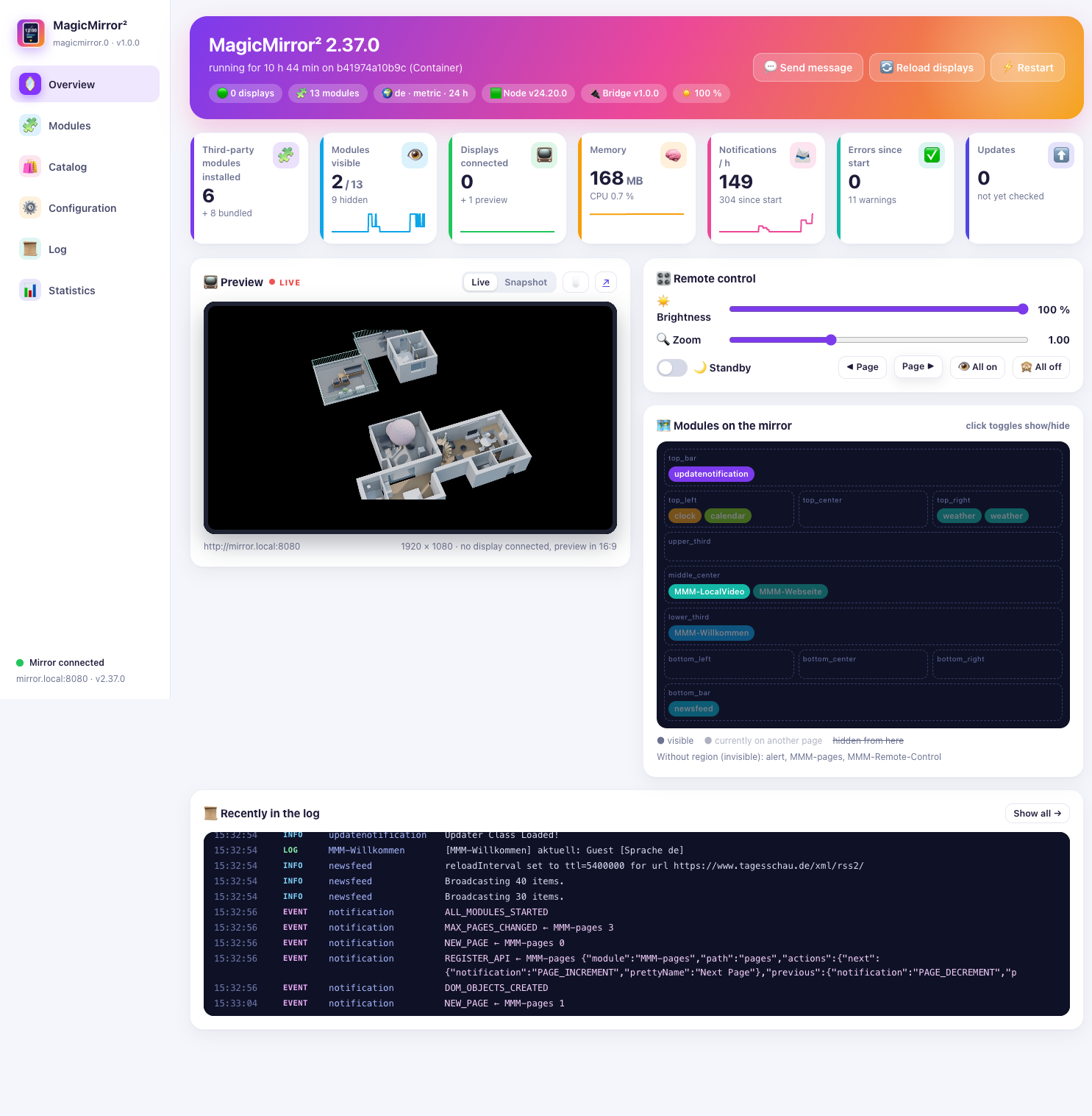
The first page of the tab shows how the mirror is doing and lets you operate it from here.
- Key figures: installed third-party modules, visible modules, connected displays, memory and CPU, notifications per hour, errors since start, available updates – each with a small history.
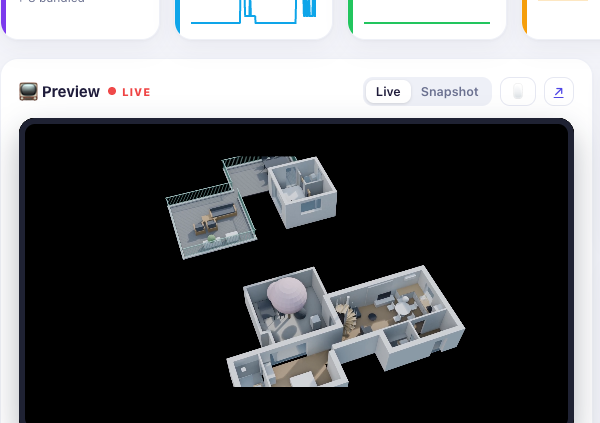
- Live preview: the mirror in a frame, or as a snapshot. The preview can be made interactive or opened in a new window.
- Remote control: brightness, zoom, standby, page back and forward, all modules on or off.
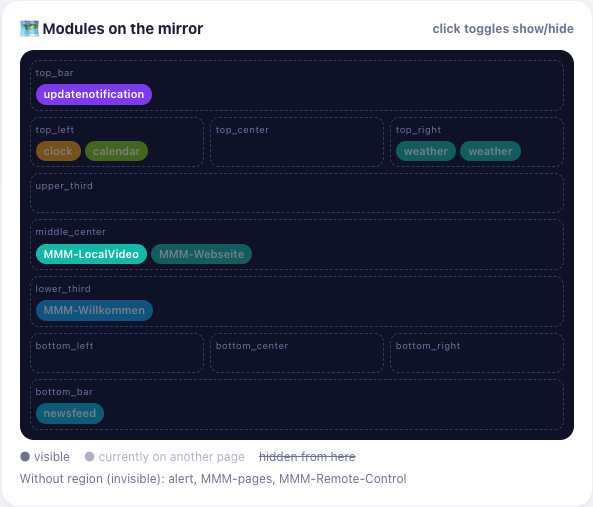
- Region map: every module at its position on the mirror; a click shows or hides it. Modules that currently sit on another page are shown faded.
- Messages: send a text to the mirror as an alert, reload the displays, restart MagicMirror.
🧩 Modules
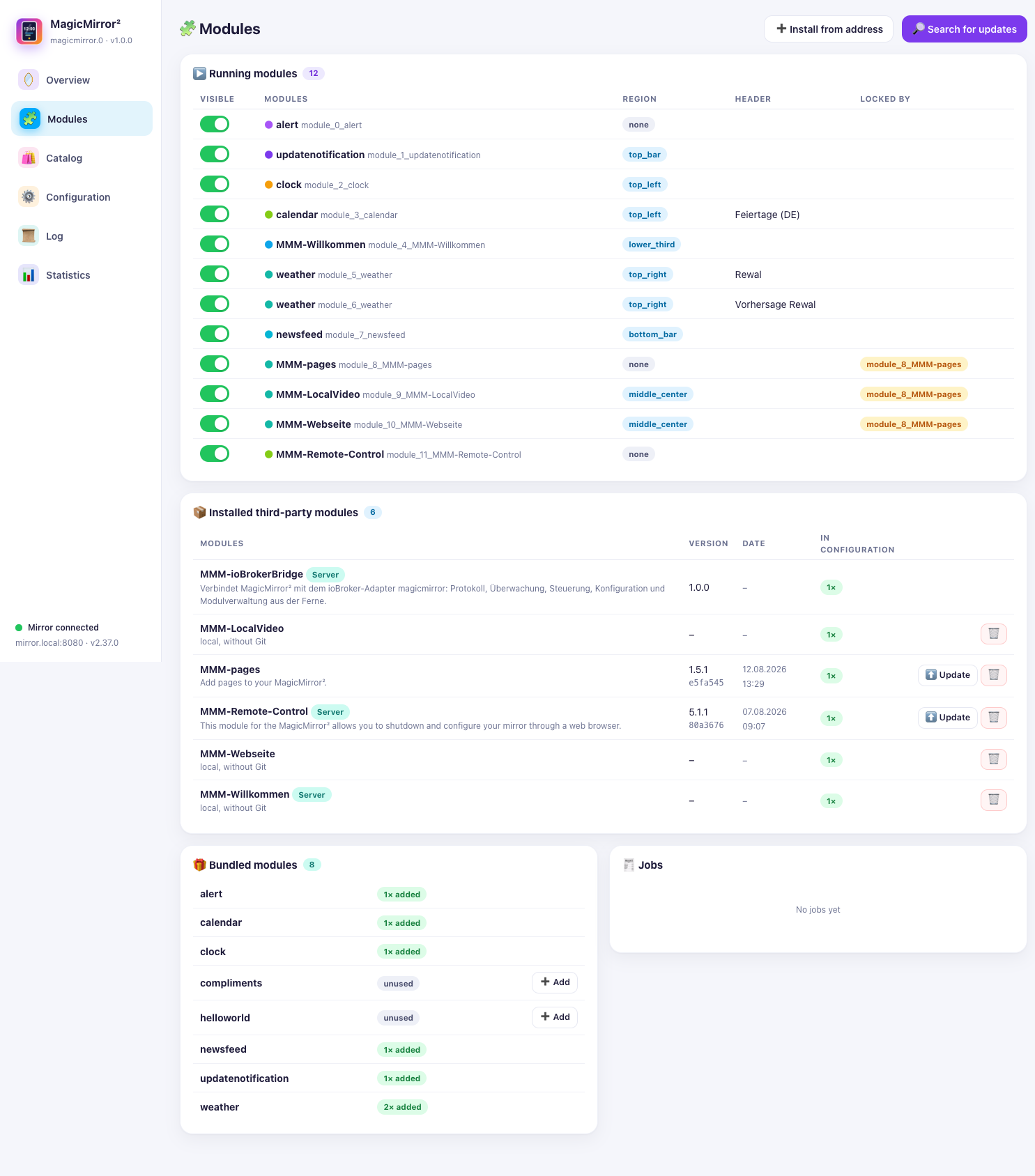
Every module the mirror knows about: running, installed and bundled.
- Update third-party modules (
git pull,npm installif needed) or remove them. - Add an installed module to the configuration with one click.
- See whether a newer version of a module is available.
🛍️ Catalogue
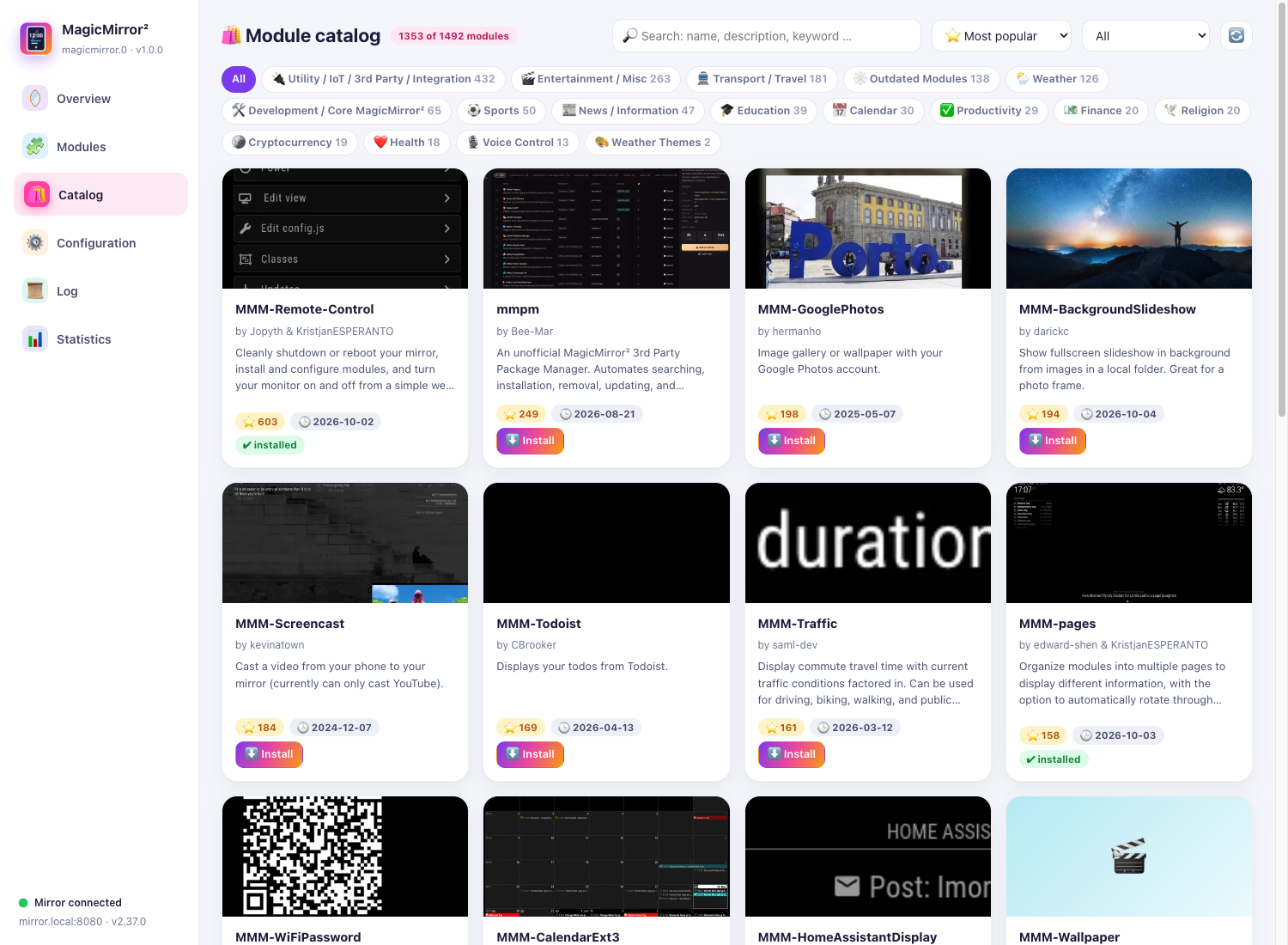
The catalogue loads the list from modules.magicmirror.builders – roughly 1500 modules – and caches it in the adapter.
- Search by name, description and keyword, filter by category, sort by popularity or date.
- Read a module’s README before installing it.
- One-click install: the module is cloned into the modules folder with
git cloneand its dependencies are installed.
⚙️ Configuration
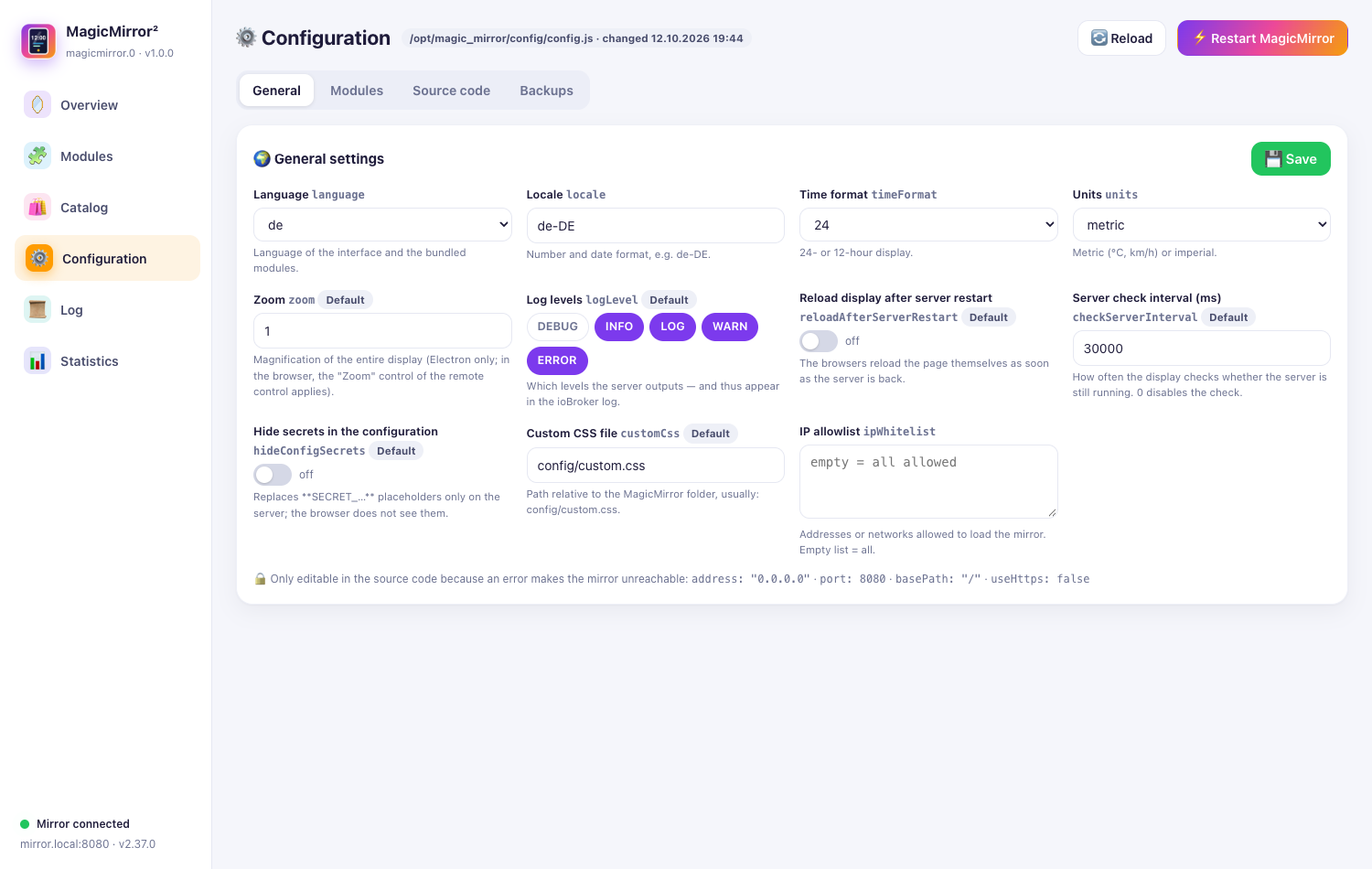
The file config.js is edited as text – comments and expressions are preserved.
| Sub-page | Content |
|---|---|
| General | language, locale, time format, units, address and port |
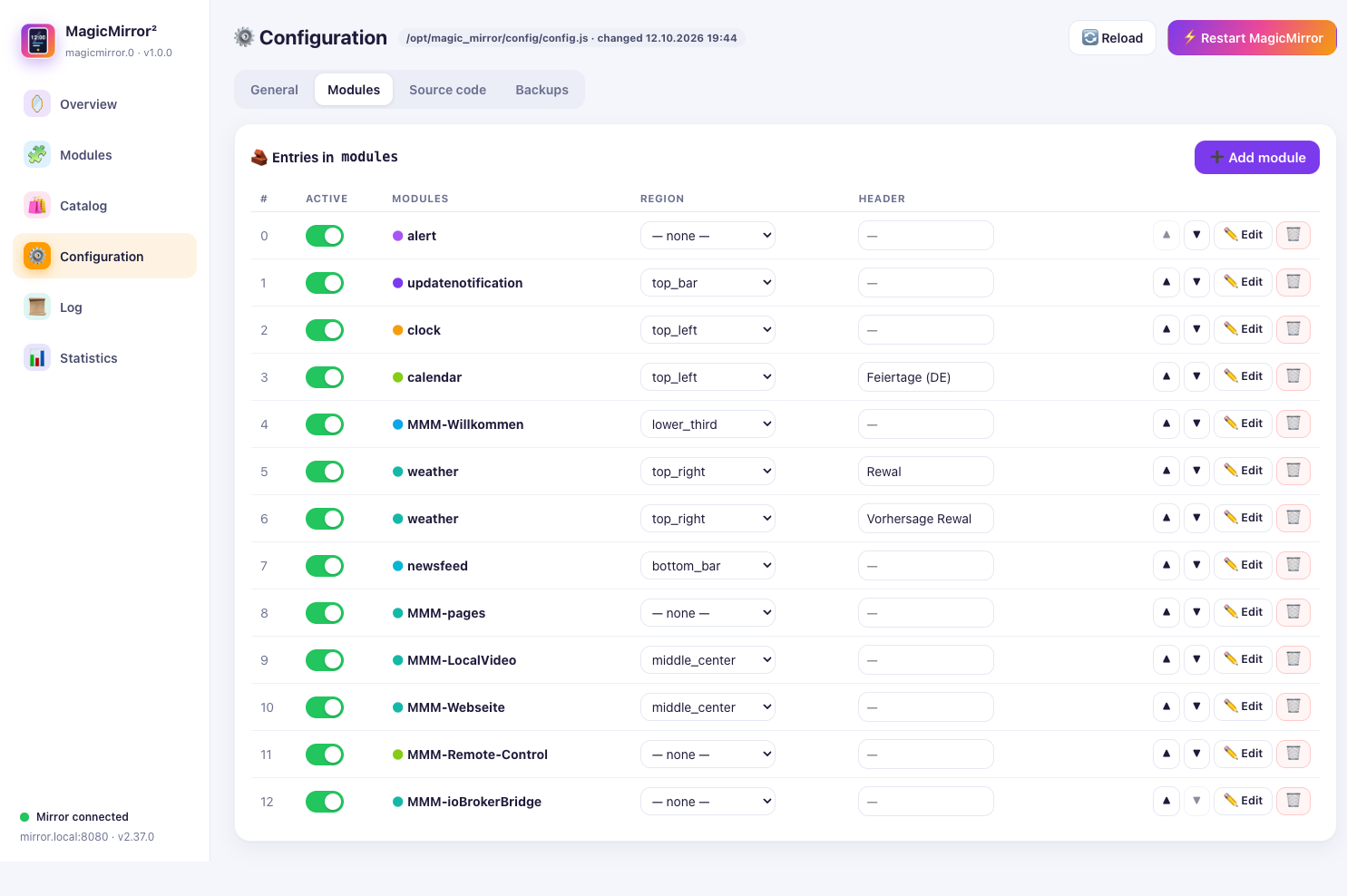
| Modules | switch entries on and off, change region and header, reorder, edit, delete |
| Source code | the complete text of config.js |
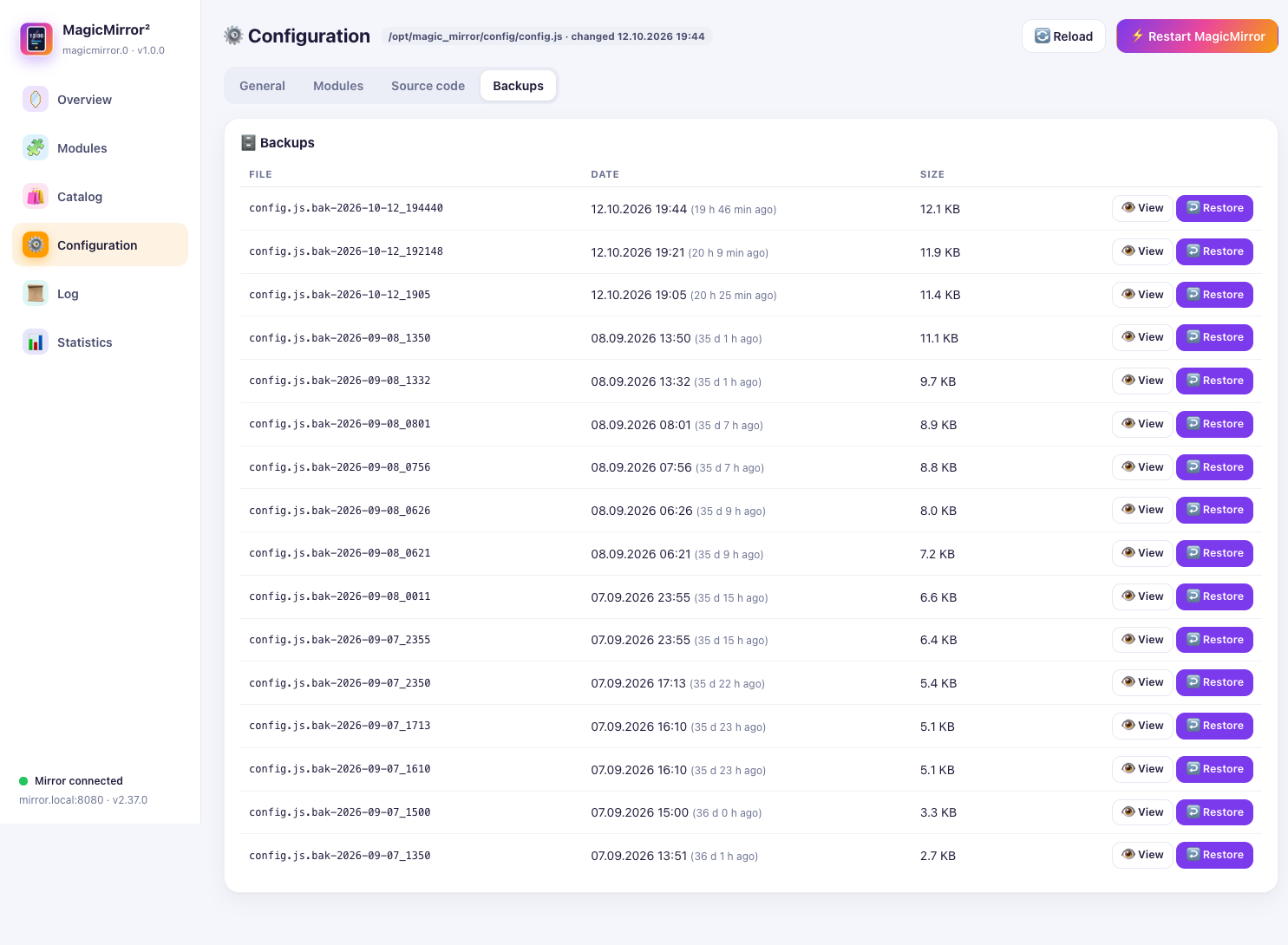
| Backups | view earlier versions and restore them |
The file is only saved if the new text can be executed – and never without a backup first.
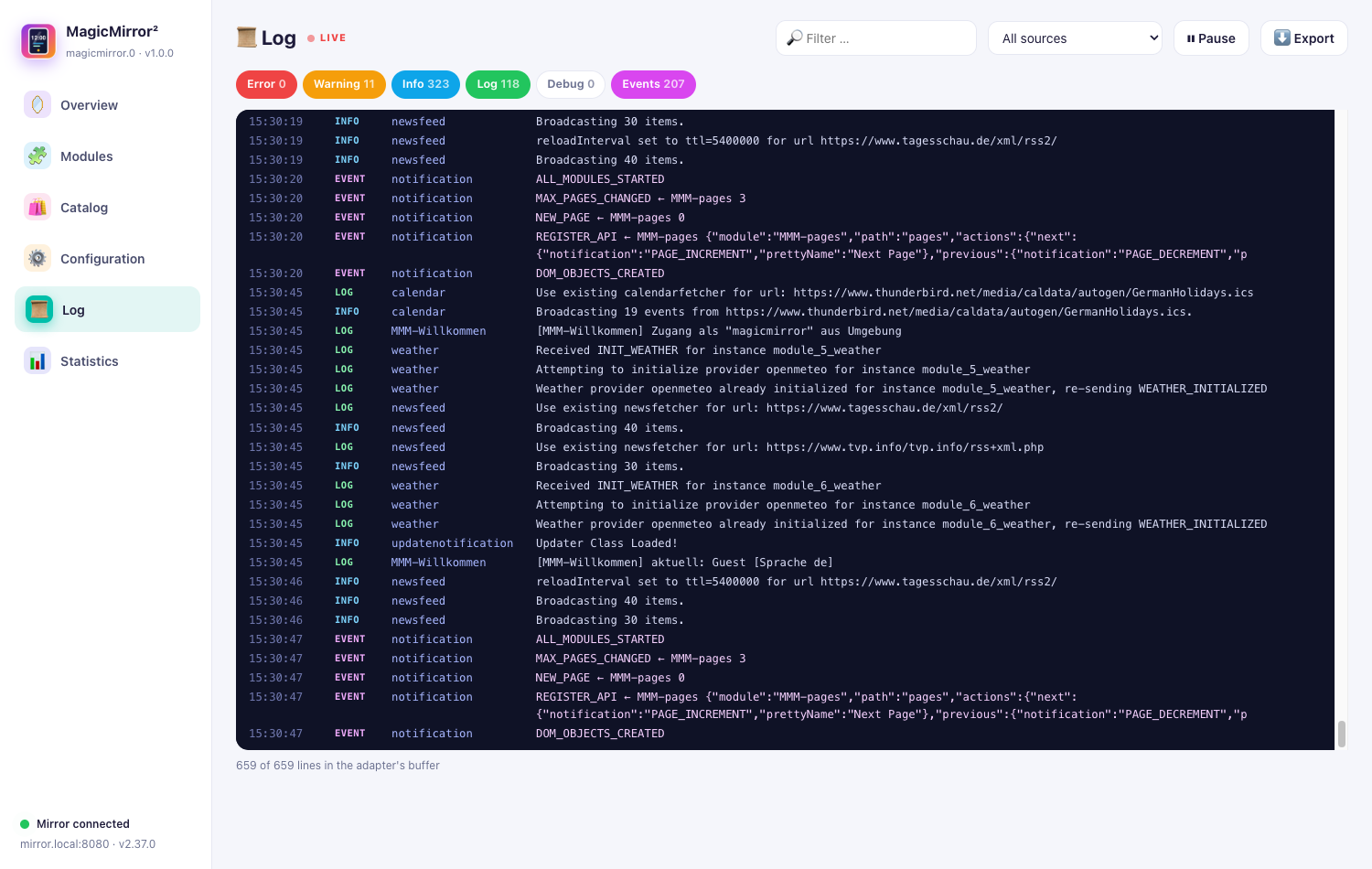
📜 Log
The mirror’s server and browser log arrive without delay (long polling).
- Filter by level: error, warning, info, log, debug, events.
- Filter by source, full-text search, pause and export.
- The log is kept in a ring buffer on the mirror; the logger itself stays untouched.
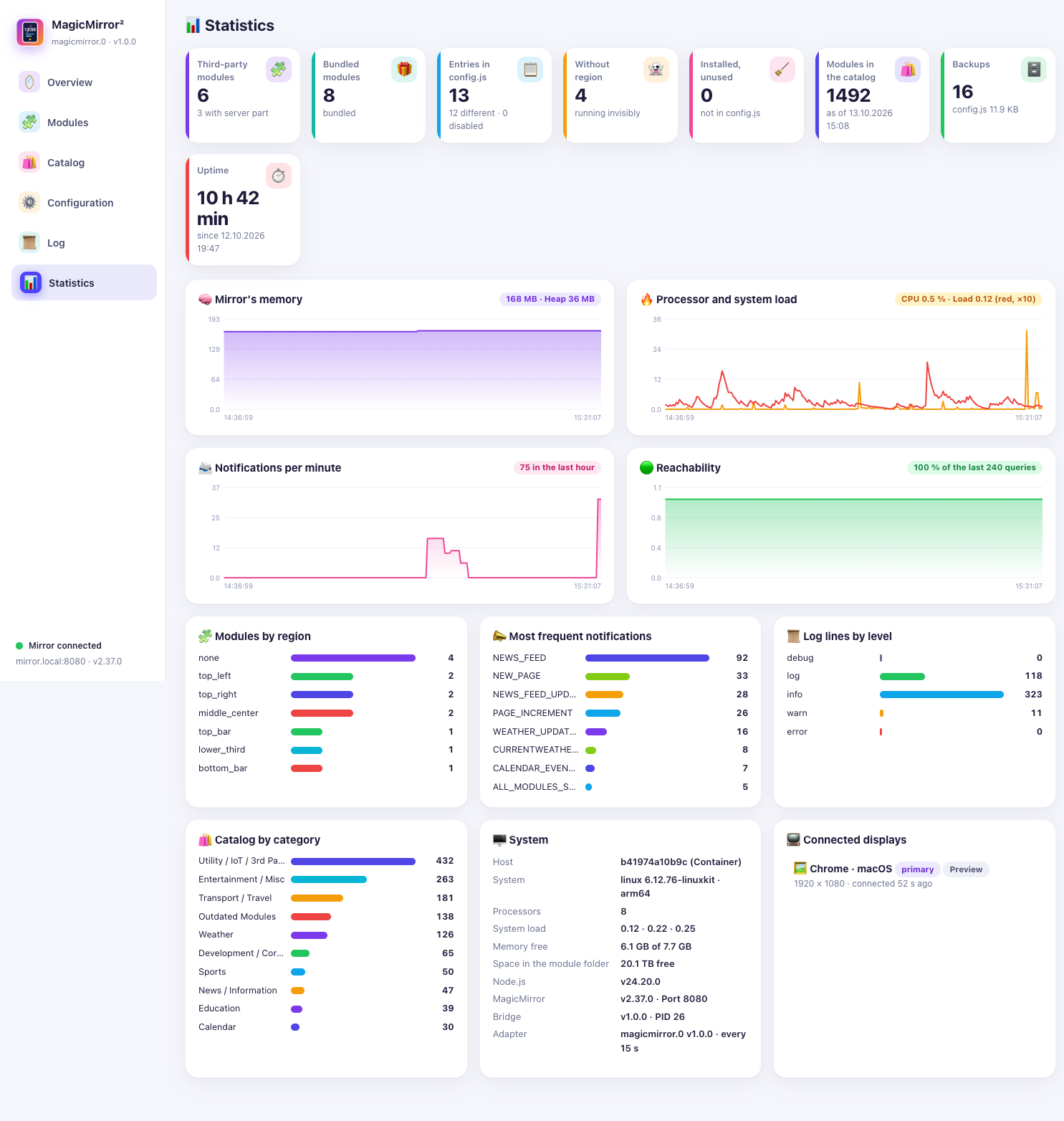
📊 Statistics
- History of memory, load, notifications and availability.
- Distribution of modules by region and kind.
- System details: versions of MagicMirror, the module and Node.js, hostname, operating system, uptime.
🔌 Data points
84 fixed data points, plus one switch for every running module. The complete list is on the data points page.
| Channel | Content |
|---|---|
info.* | connection, versions, uptime, address, “restart required” |
stats.* | module counts, displays, memory, load, errors, catalogue |
display.* | brightness, zoom, standby, page – writable |
control.* | buttons and texts for controlling the mirror |
config.* | language, locale, time format, units |
lists.* | running and installed modules, displays, updates as JSON |
modules.<name>.visible | one switch per running module |
log.* | last line, last error, last warning, last 30 lines as JSON |
// Example for the JavaScript adapter
setState('magicmirror.0.control.alert', 'The washing machine is done');
setState('magicmirror.0.display.standby', true);
🏗️ Architecture
┌──────────────── ioBroker ────────────────┐          ┌───────────── MagicMirror² ─────────────┐
│                                          │          │                                        │
│  Admin tab  ────sendTo────►  Adapter     │  HTTP    │  node_helper.js   (REST interface)     │
│  (admin/tab.*)               main.js     │ ───────► │   ├─ LogBuffer      log                │
│                              ├─ MirrorClient        │   ├─ ModuleManager  git / npm          │
│  Scripts ──data points──►    ├─ Catalog ────────┐   │   └─ config-editor  config.js          │
│                              └─ states          │   │            │ socket                    │
└──────────────────────────────────────────┘      │   │  MMM-ioBrokerBridge.js (in the browser)│
                                                  │   └────────────────────────────────────────┘
                                                  └──► modules.magicmirror.builders
| Part | Purpose |
|---|---|
iobroker.magicmirror/ | the adapter with the tab for the Admin |
MMM-ioBrokerBridge/ | the module for the mirror |
Both parts work without runtime dependencies (the adapter only needs @iobroker/adapter-core) and without a build step.
🌍 Languages
The interface appears in German if ioBroker is set to German, otherwise in English. Messages the mirror itself produces (error texts of the module, events in the log) are currently German only.
🔐 Security
- The mirror’s interface requires an access token (
Authorization: Bearer …); withoutMM_IOBROKER_TOKENit stays closed. - The token is as powerful as shell access to the mirror: installing modules means running third-party code (
npm install). The mirror belongs in a trusted network. gitandnpmare started without a shell; module names and addresses are validated (https://only).config.jsis only saved if the new text can be executed – and never without a backup first.
✅ Tested with
MagicMirror² 2.37, ioBroker js-controller 7, Admin 8, Node.js 22/24. Licence: MIT.