At a glance
| Part | Where | Time | |
|---|---|---|---|
| 🅰️ | MagicMirror² module MMM-ioBrokerBridge | on the mirror | about 5 minutes |
| 🅱️ | ioBroker adapter magicmirror | on the ioBroker host | about 5 minutes |
ℹ️
<owner>in the commands stands for the account that hosts the repository. If you received the sources as an archive, skipgit cloneand work in the unpacked folder.
Two things have to be installed: the module on the mirror and the adapter in ioBroker. Do them in this order — the adapter needs the module to talk to.
Part A · MagicMirror² module MMM-ioBrokerBridge
Requirements: MagicMirror² 2.30 or newer, Node.js 20 or newer, git on the mirror (it is used to install modules from the catalogue).
Step 1 · Copy the module into the modules folder
cd ~/MagicMirror/modules            # Docker: the host folder that is mounted as "modules"
git clone https://github.com/<owner>/iobroker-magicmirror.git /tmp/iobroker-magicmirror
cp -r /tmp/iobroker-magicmirror/MMM-ioBrokerBridge .
rm -rf /tmp/iobroker-magicmirror
The module has no dependencies — there is no npm install to run.
Step 2 · Create an access token
openssl rand -hex 24
Keep the output; you need it once on the mirror and once in ioBroker.
Step 3 · Give the token to MagicMirror as an environment variable
The token does not go into config.js: MagicMirror serves that file in plain text under /config/config.js.
Docker (docker-compose.yml):
services:
  magicmirror:
    environment:
      - MM_IOBROKER_TOKEN=<your token>
    volumes:
      - ./config:/opt/magic_mirror/config
      - ./modules:/opt/magic_mirror/modules   # the whole folder, so that installed modules survive
Mount the whole modules folder, not single module folders. Otherwise modules installed from ioBroker live only inside the container and are gone when it is recreated.
pm2:
MM_IOBROKER_TOKEN=<your token> pm2 restart mm --update-env
pm2 save
systemd: add Environment=MM_IOBROKER_TOKEN=<your token> to the [Service] section of the unit, then sudo systemctl daemon-reload.
Step 4 · Add the module to config/config.js
modules: [
    // … your other modules …
    {
        module: "MMM-ioBrokerBridge",
        config: { heartbeat: 10000 }
    }
]
No position is needed — the module draws nothing.
Step 5 · Restart MagicMirror
docker compose up -d          # Docker (recreates the container with the new environment)
pm2 restart mm                # pm2
Step 6 · Check
curl http://<mirror>:8080/MMM-ioBrokerBridge/health
# {"ok":true,"bridge":"1.0.0","mmVersion":"2.37.0","tokenConfigured":true}

curl -H "Authorization: Bearer <your token>" http://<mirror>:8080/MMM-ioBrokerBridge/api/status
# a JSON document with versions, modules and statistics
"tokenConfigured":true and a JSON answer from /api/status mean the mirror side is ready.
Part B · ioBroker adapter magicmirror
Requirements: js-controller 5 or newer, Admin 6 or newer, Node.js 20 or newer. The ioBroker host must be able to reach the mirror over HTTP (test: curl http://<mirror>:8080/MMM-ioBrokerBridge/health from the ioBroker host).
Step 1 · Build the package
git clone https://github.com/<owner>/iobroker-magicmirror.git
cd iobroker-magicmirror/iobroker.magicmirror
npm pack                            # creates iobroker.magicmirror-1.0.0.tgz
Step 2 · Install it into ioBroker
cd /opt/iobroker
npm install /path/to/iobroker.magicmirror-1.0.0.tgz --omit=dev
ioBroker in Docker: copy the file into the container first.
docker cp iobroker.magicmirror-1.0.0.tgz iobroker:/tmp/
docker exec iobroker bash -lc 'cd /opt/iobroker && npm install /tmp/iobroker.magicmirror-1.0.0.tgz --omit=dev'
Prefix the following iobroker … commands with docker exec iobroker in that case.
Step 3 · Upload the admin files and create the instance
iobroker upload magicmirror
iobroker add magicmirror 0
Step 4 · Configure the instance
In the Admin: Instances → magicmirror.0 → 🔧
| Field | Value |
|---|---|
| Address of the mirror | IP address or name, without http:// |
| Port | 8080 (or whatever your mirror uses) |
| Access token | the token from Part A, step 2 |
Click Check connection — the answer should read Connected: MagicMirror v… — then Save.
On the command line instead:
iobroker set magicmirror.0 --host <mirror> --port 8080
iobroker object set system.adapter.magicmirror.0 native.token=<your token>
⚠️ Do not set the token with
iobroker set … --token: that command stores it unencrypted and the adapter then reads garbled characters.iobroker object setencrypts it.
Step 5 · Open the tab
Reload the Admin page. The side menu now has an entry MagicMirror. If it is missing, click the pencil at the top of the side menu and switch the entry on.
Step 6 · Check
iobroker state getValue magicmirror.0.info.connection     # true
iobroker state getValue magicmirror.0.info.mmVersion      # e.g. 2.37.0
Updating
# mirror: replace the folder modules/MMM-ioBrokerBridge with the new version, then restart MagicMirror
# ioBroker:
cd iobroker.magicmirror && npm pack
cd /opt/iobroker && npm install /path/to/iobroker.magicmirror-<version>.tgz --omit=dev
iobroker upload magicmirror && iobroker restart magicmirror.0
Troubleshooting
| Symptom | Cause and remedy |
|---|---|
| Tab says “No connection to the mirror … not reachable” | The ioBroker host cannot reach the mirror. Check address, port, firewall and ipWhitelist in config.js. |
| “The access token does not match MM_IOBROKER_TOKEN” (HTTP 401) | The tokens differ. Set the same value on both sides. |
| “MM_IOBROKER_TOKEN is not set on the mirror” (HTTP 503) | The environment variable did not reach the MagicMirror process. With Docker the container must be recreated (docker compose up -d), a plain restart is not enough. |
| “The stored access token is unreadable” | The token was written with iobroker set … --token. Set it again in the instance settings or with iobroker object set. |
| “The module MMM-ioBrokerBridge is not loaded on the mirror” (HTTP 404) | The module is missing from config.js, or MagicMirror was not restarted. |
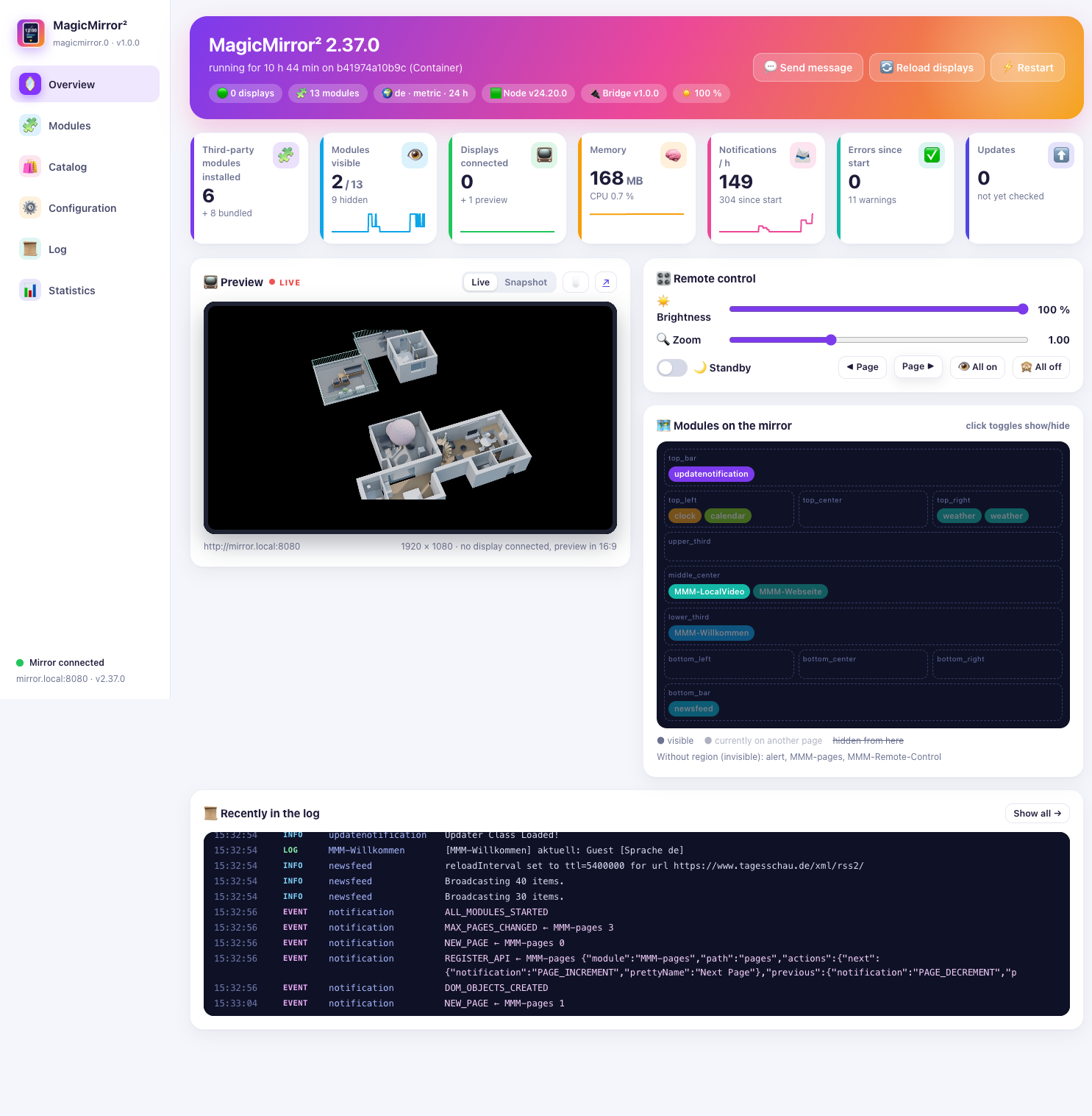
| The module lists are empty, “No display connected” | The mirror only knows its running modules while at least one browser shows it. Open the mirror — or simply the live preview in the tab. |
| Live preview stays black | The browser you use for the Admin must be able to reach the mirror itself. If the Admin runs over HTTPS and the mirror over HTTP, the browser blocks the frame: switch the preview to “Snapshot”. |
| An installed module does not show up on the mirror | Installing only puts it into the modules folder. Add it to the configuration (Modules → Add) and restart MagicMirror. |
What it looks like afterwards